¶ Compatibility
This guide applies to the following machine. Please note when referencing:
Machine model: U1
¶ Installation Location
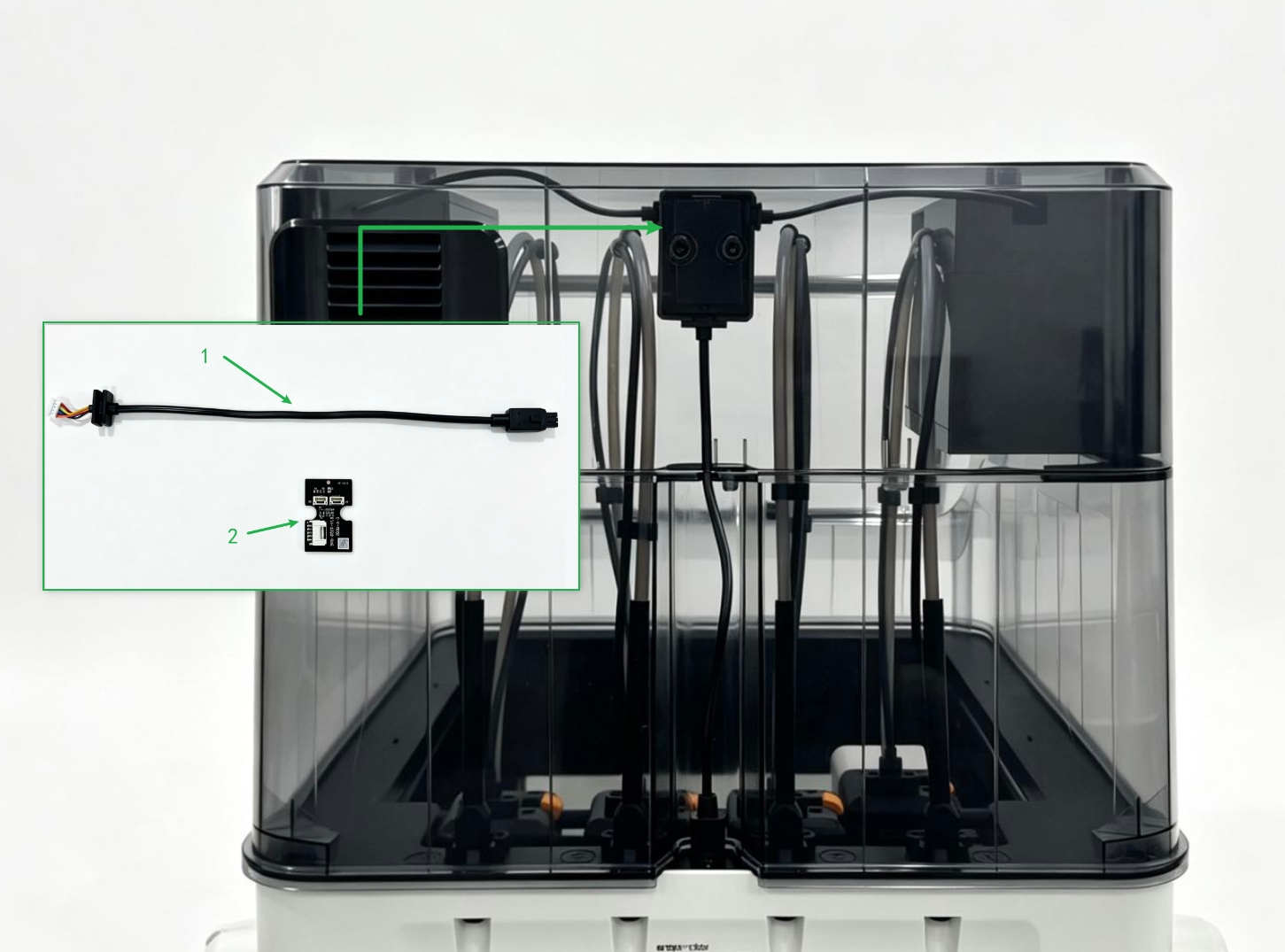
¶ Quick Overview
Replacement Difficulty: ★★☆☆☆ (Easy)
Estimated Time: 20 minutes
¶ Preparation
¶ Procedure
¶ Part 1 - Removing the Top Cover
(1) Disconnect the top cover cable and remove the magnetic front door.
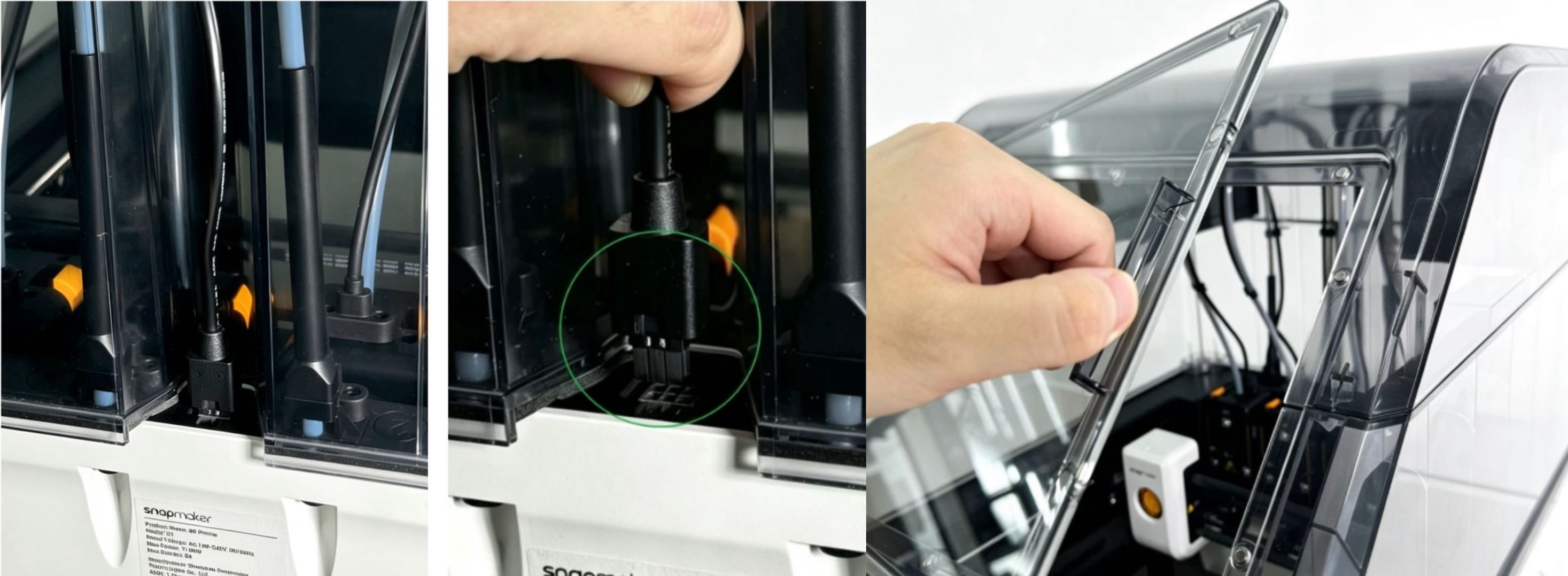
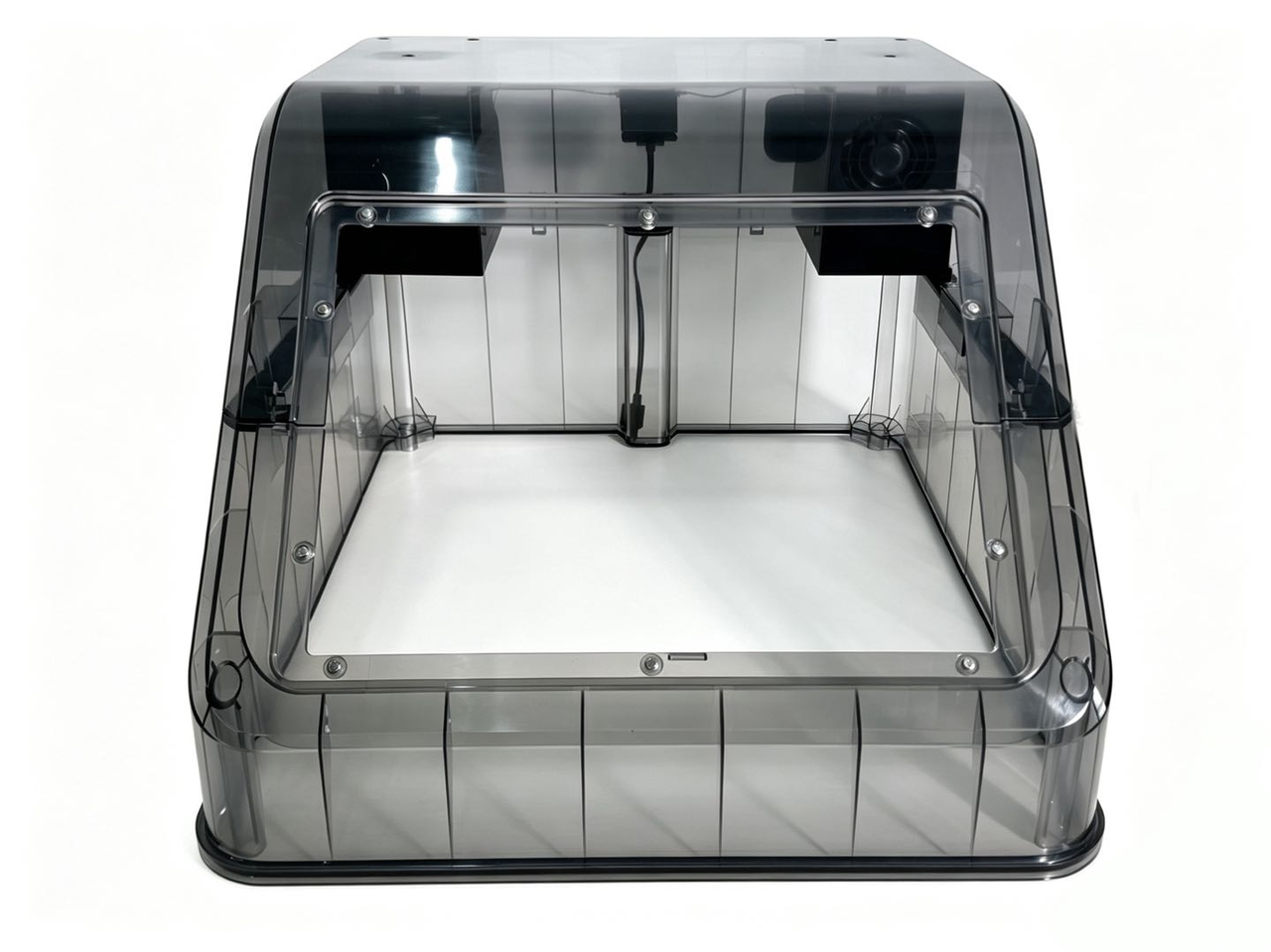
(2) Remove the top cover from the printer.
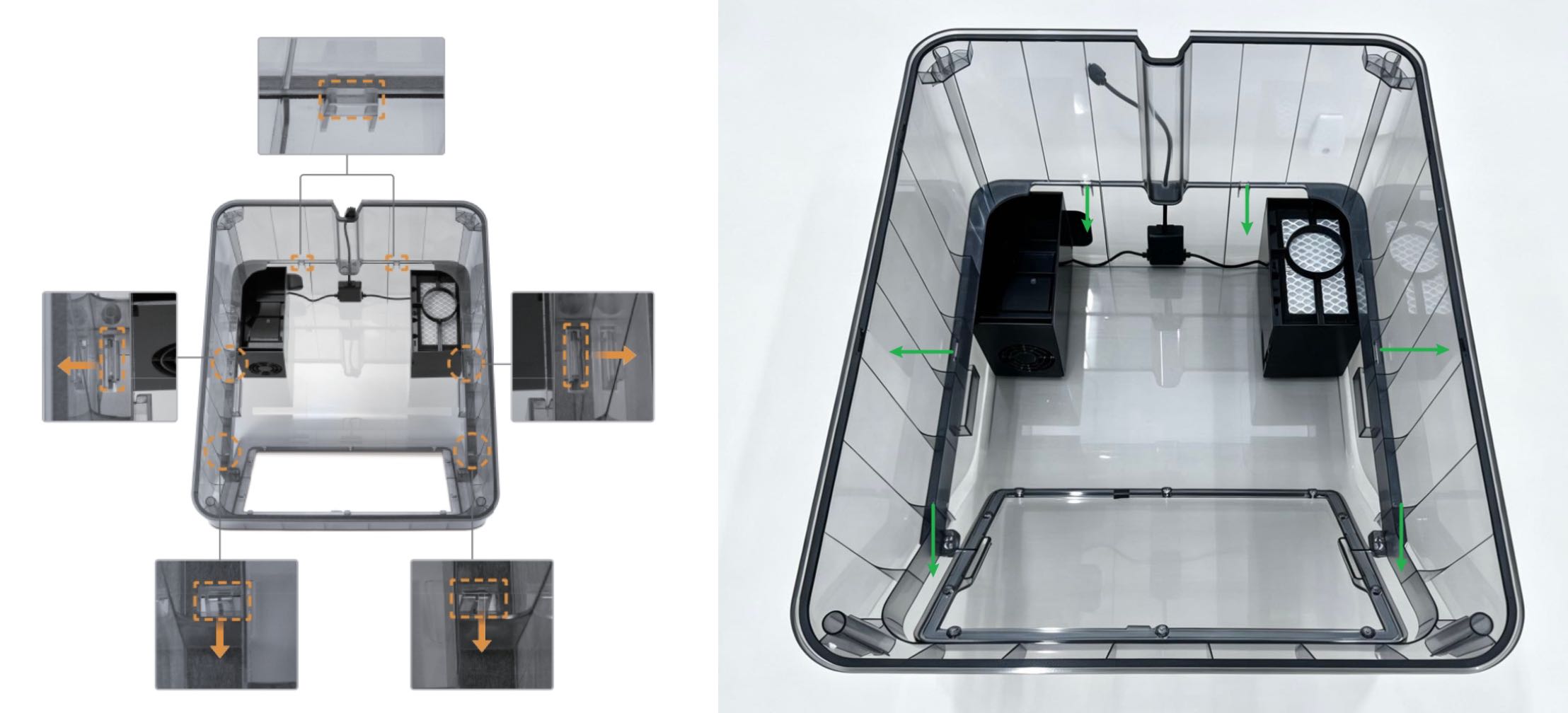
(3) Turn the top cover over and unlock the clips in the direction shown in the illustration.
¶ Part 2 - Removing the Fan Adapter Unit and Cable
(1) Turn the upper housing upside down and use the H2.0 hex key to remove the 2 screws securing the Fan Adapter Unit.
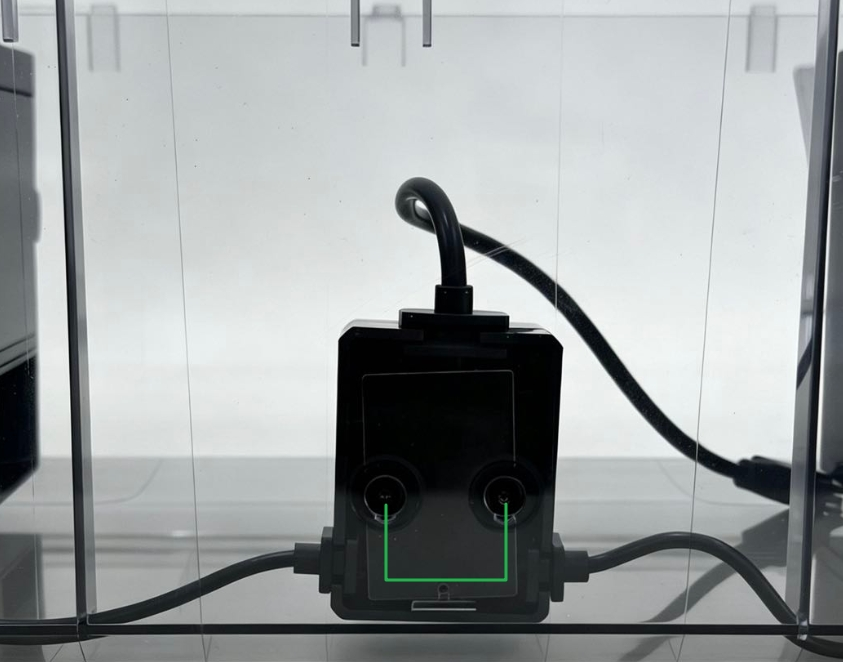
(2) Separate the Fan Adapter Unit from the housing and disconnect the cable.
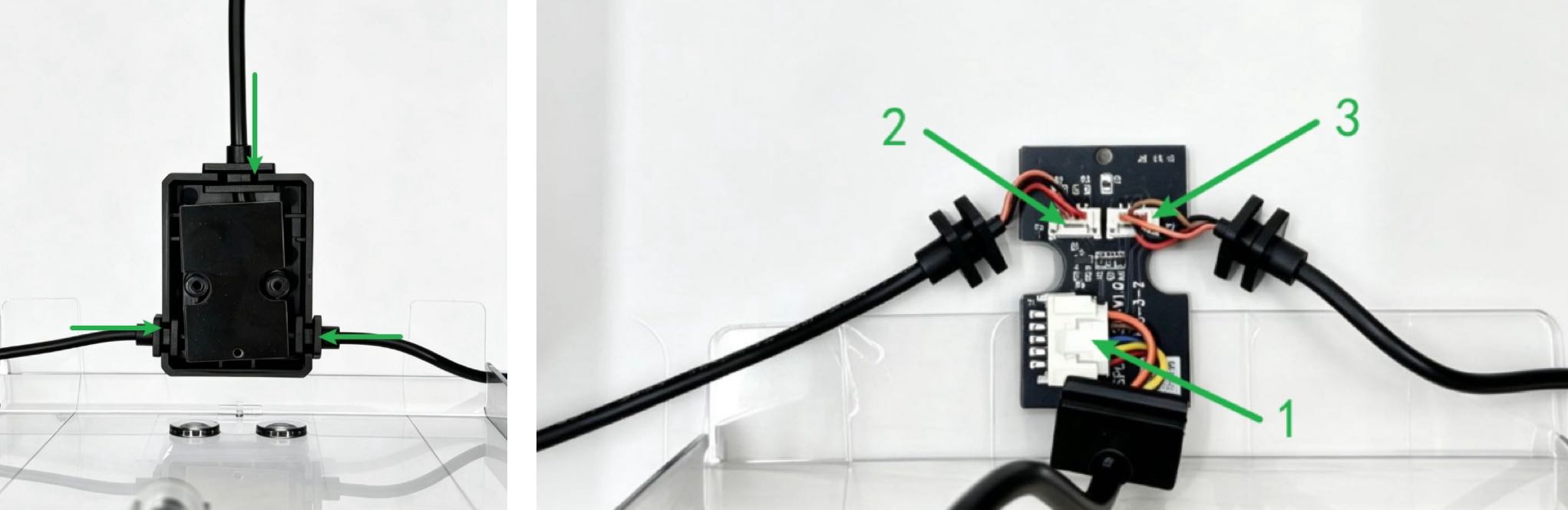
¶ Part 3 - Installing the Fan Adapter Unit and Cable
(1) Install the Fan Adapter Unit and connect the cables.
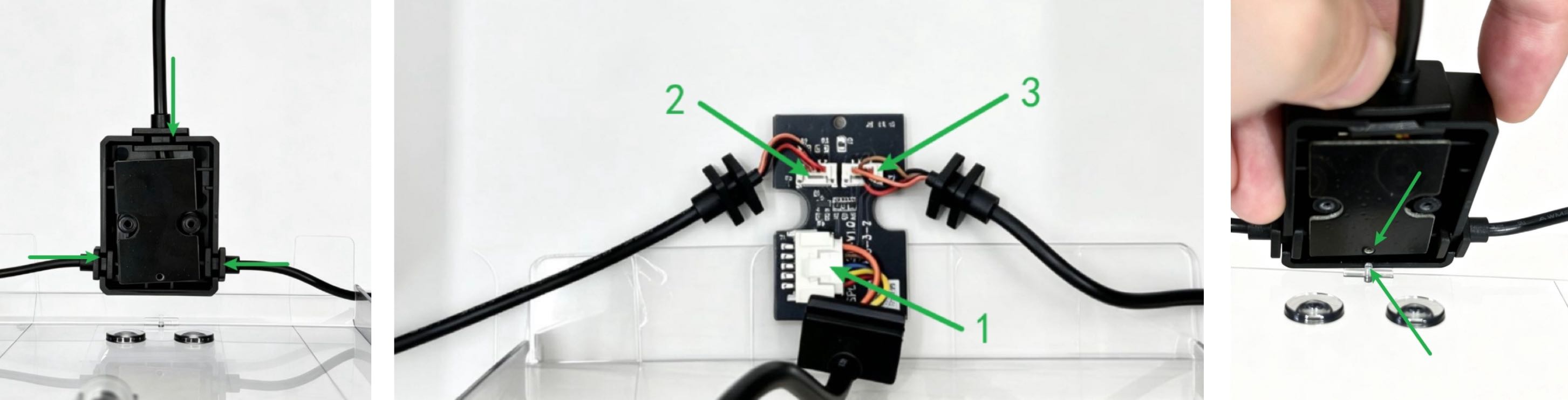
(2) Use the H2.0 hex key to tighten the screws securing the Fan Adapter Unit.
¶ Part 4 - Installing the Top Cover
Refer to the Top Cover User Manual for installation: Top Cover User Guides
¶ Endnote
If your issue remains unresolved, please contact technical support, our dedicated support team will be more than willing to assist you in resolving the issue.
If you have any suggestions or feedback about this wiki, feel free to leave a comment below. Every piece of feedback helps us improve our documentation.