¶ Overview
¶ Location
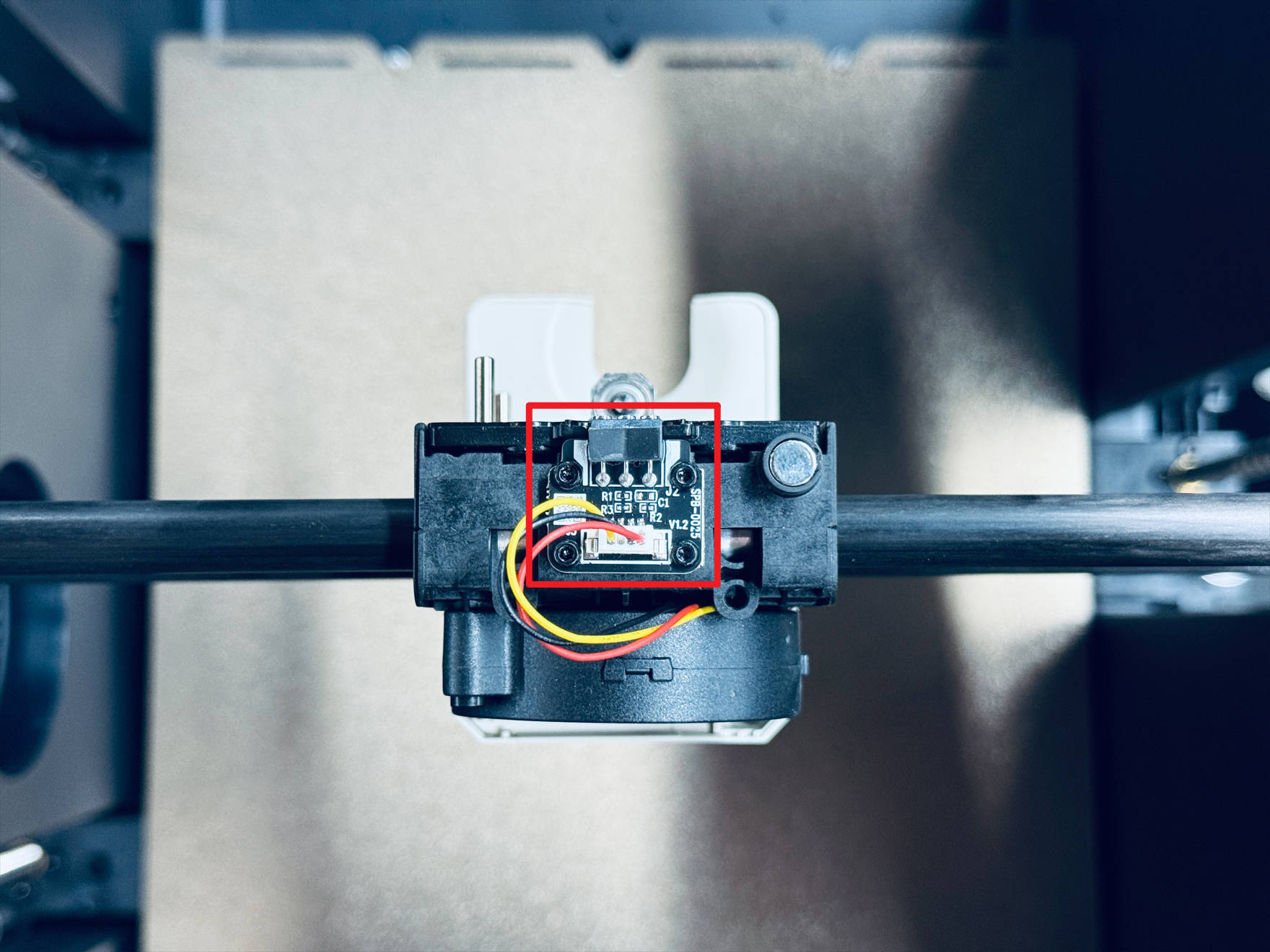
- Part cooling fan adapter board is located inside the toolhead swapper.
- To access the adapter board for replacement, the part cooling fan cover must be removed.
¶ Difficulty and Time Estimate
- Difficulty:★☆☆☆☆ (Easy)
- Estimated Time:5 minutes
¶ Where to Buy
US: https://us.snapmaker.com/products/part-cooling-fan-adapter-board-2-pack-for-snapmaker-u1
EU: https://eu.snapmaker.com/products/part-cooling-fan-adapter-board-2-pack-for-snapmaker-u1
Global: https://shop.snapmaker.com/products/part-cooling-fan-adapter-board-2-pack-for-snapmaker-u1
¶ Tools and Parts Required
- H1.5 hex key
- H2.0 hex key
- New part cooling fan adapter board
¶ Procedure
-
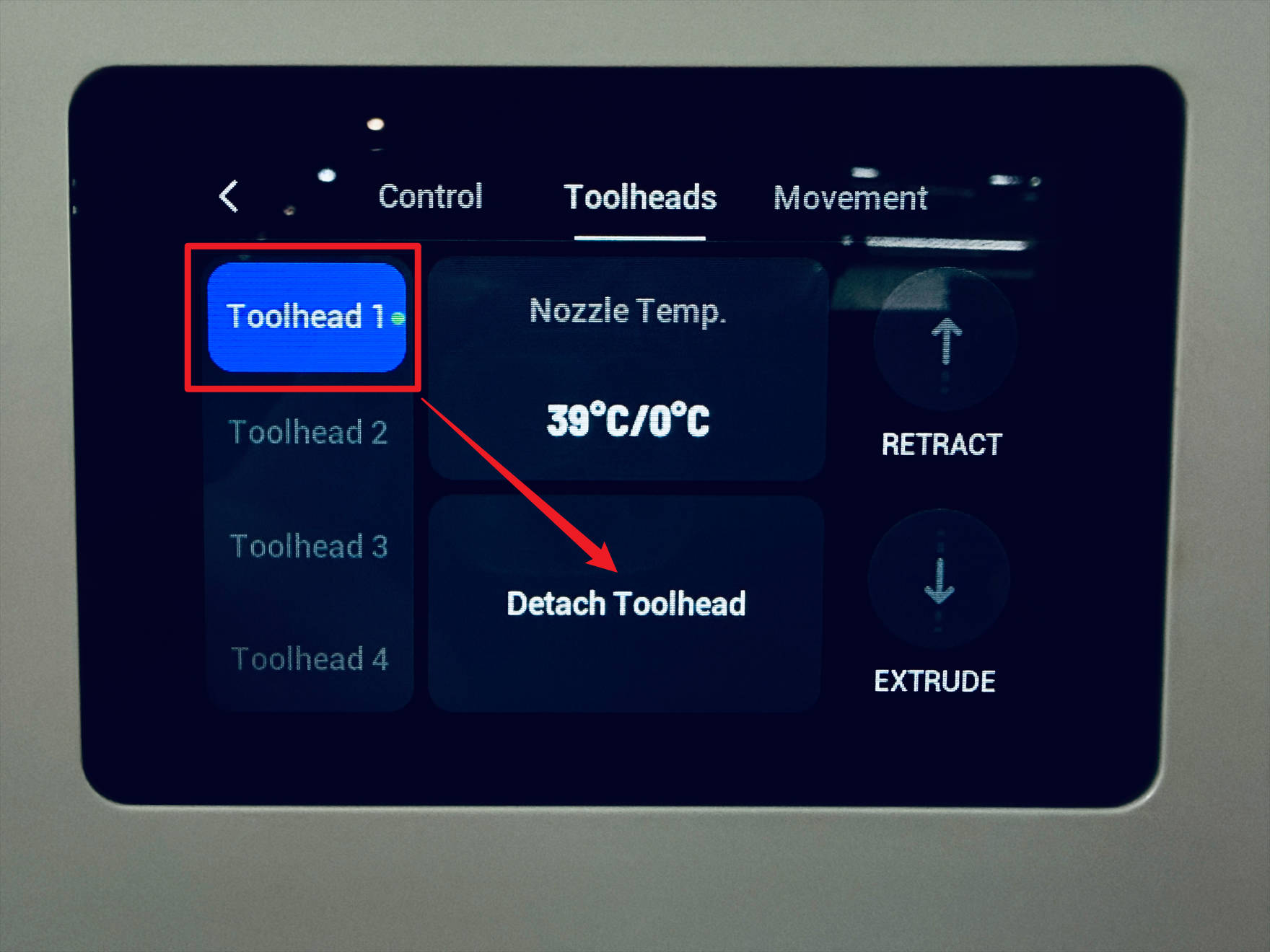
Detach the toolhead from toolhead swapper, then power off U1.
-
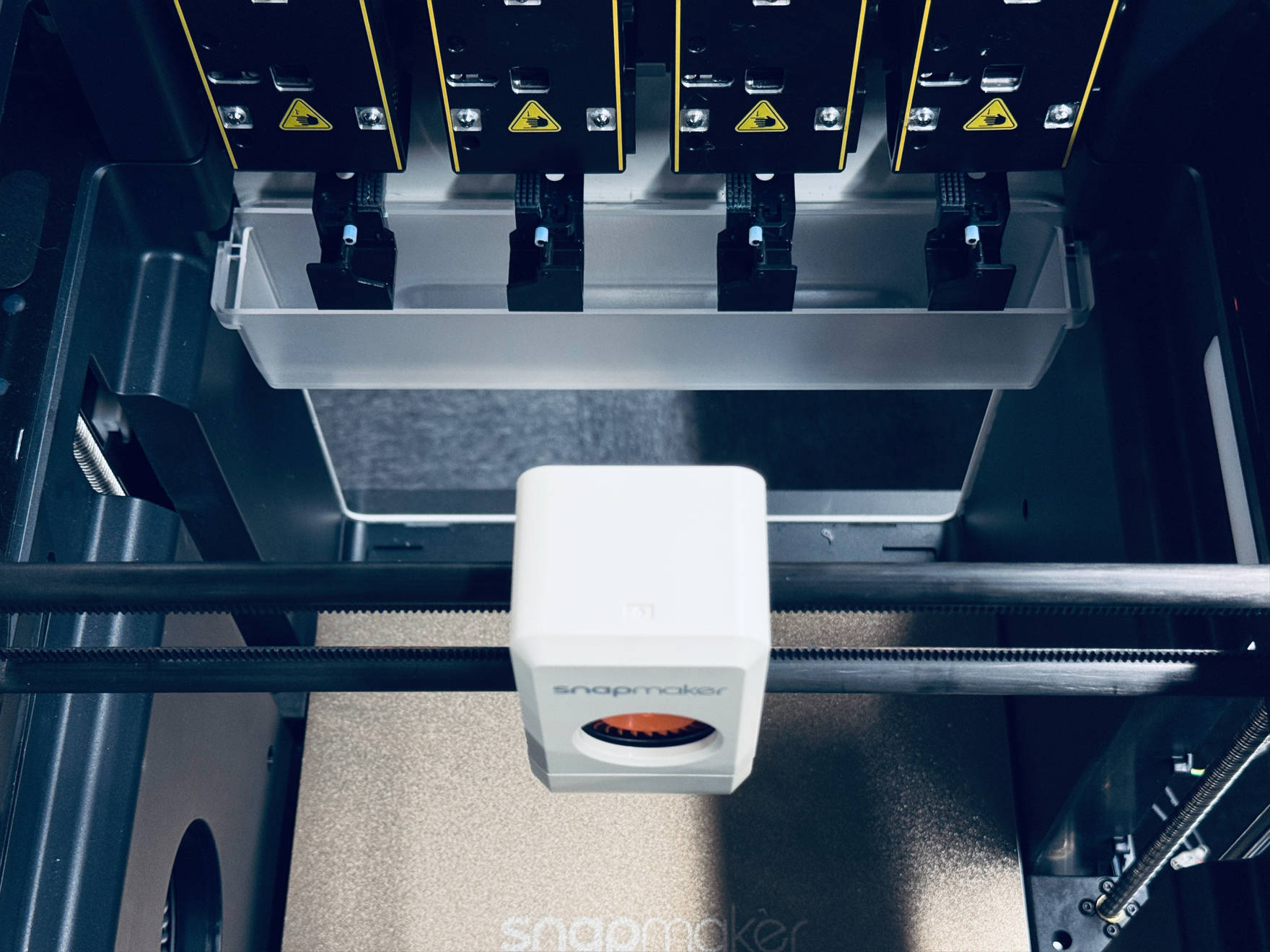
Manually move the toolhead swapper to a convenient position for operation.
-
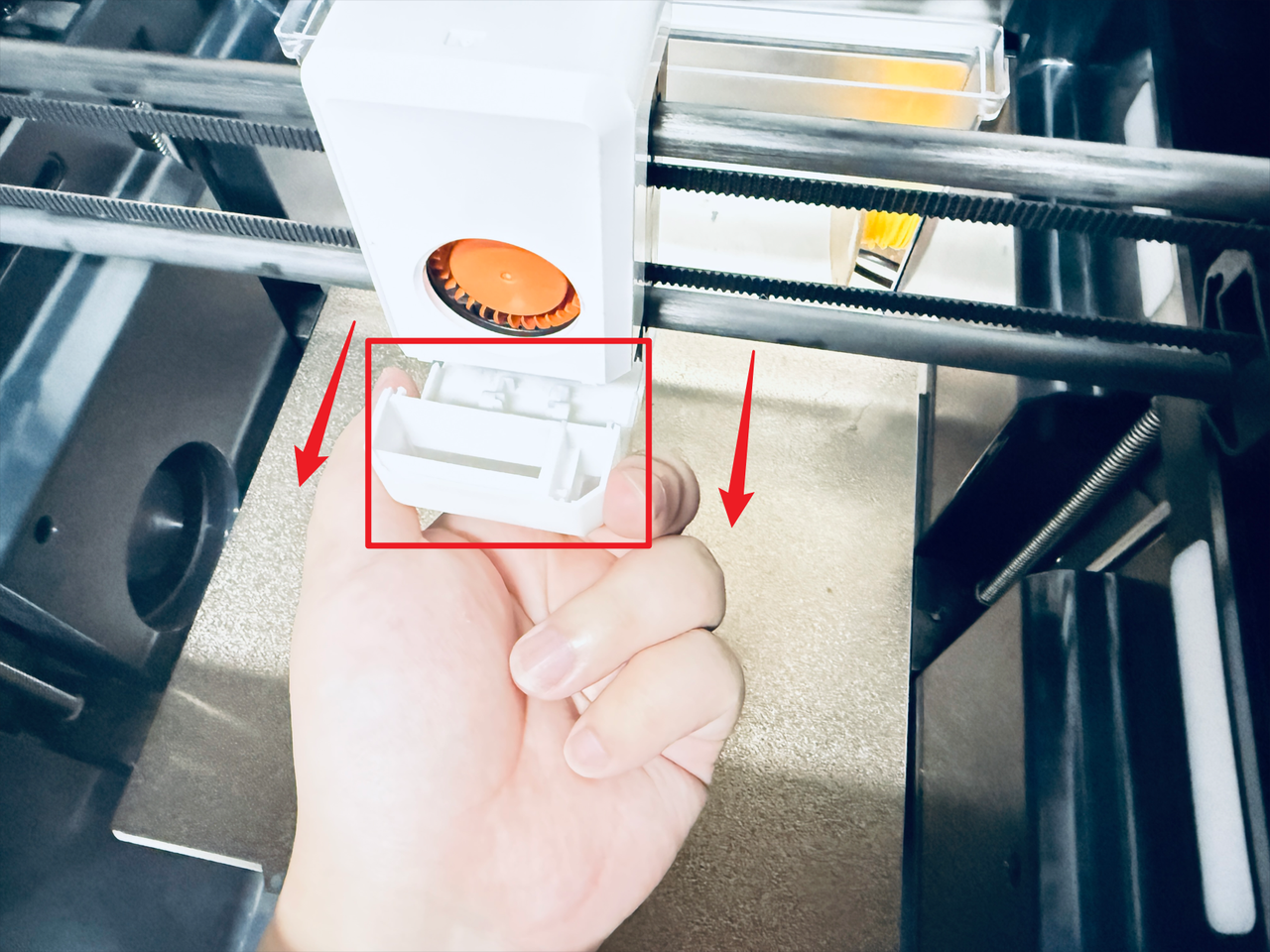
Remove the part cooling air duct.
-
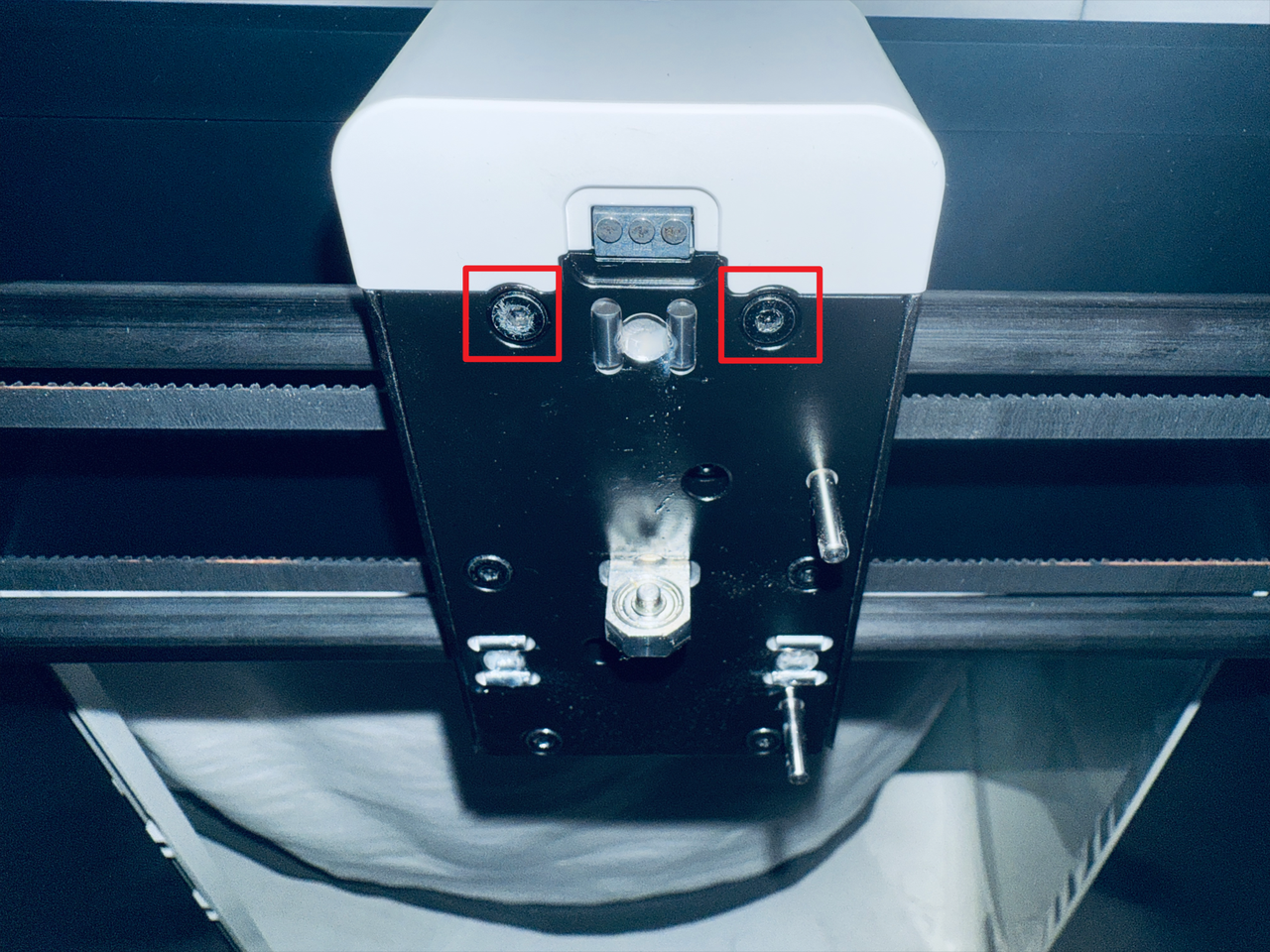
Use H2.0 hex key to remove the 2 screws.
-
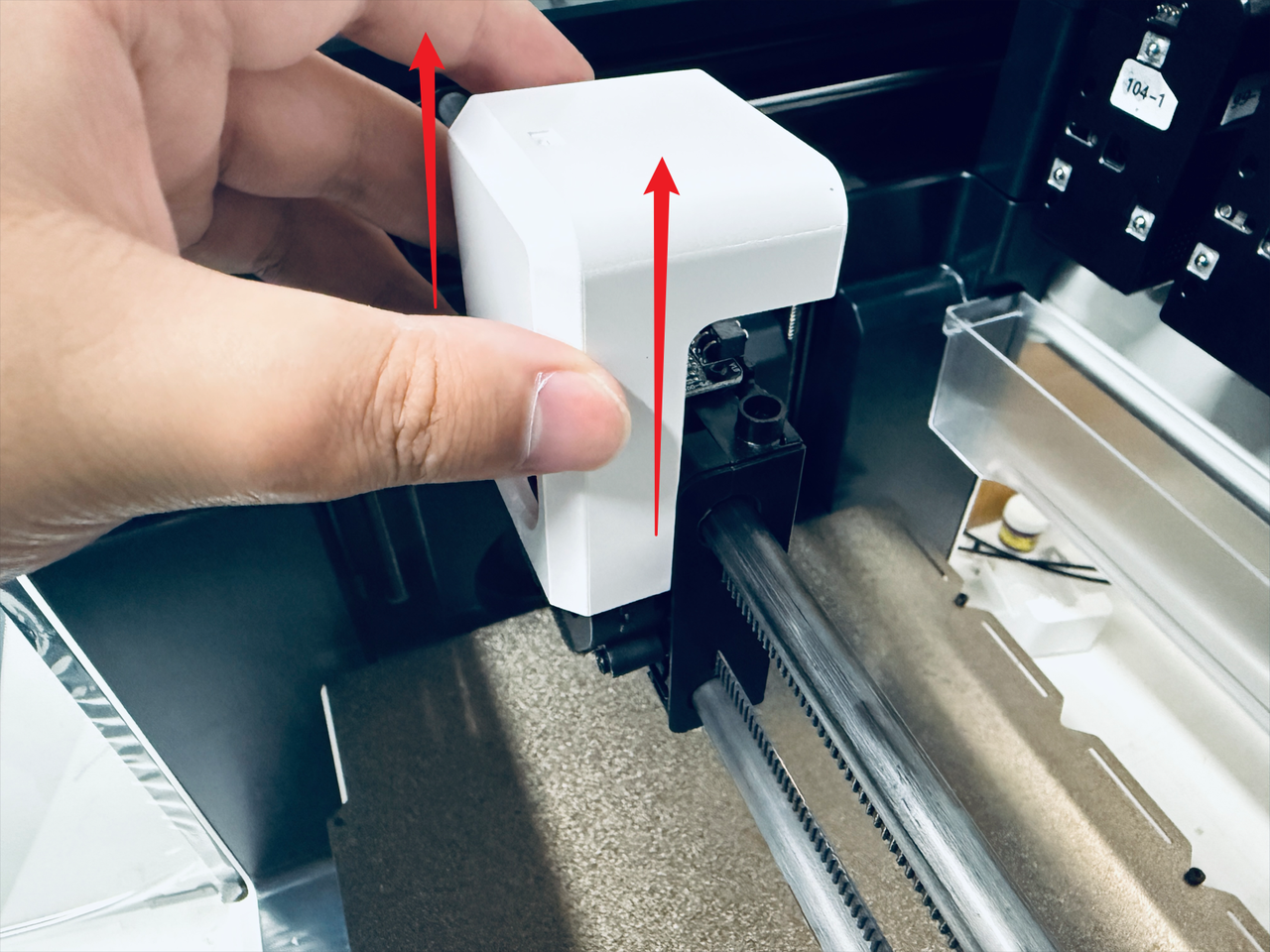
Remove the part cooling fan cover.
-
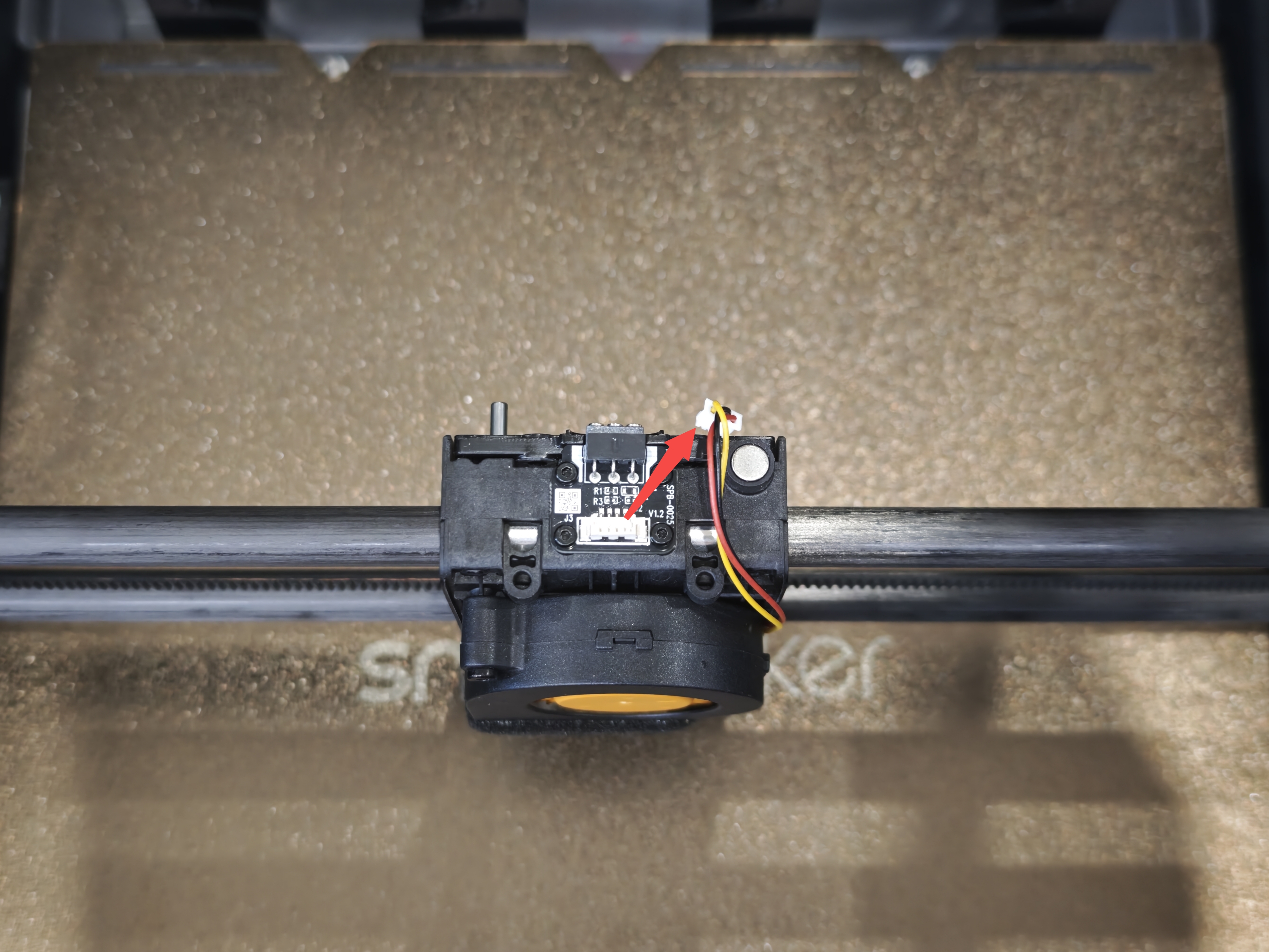
Disconnect the part cooling fan cable.
-
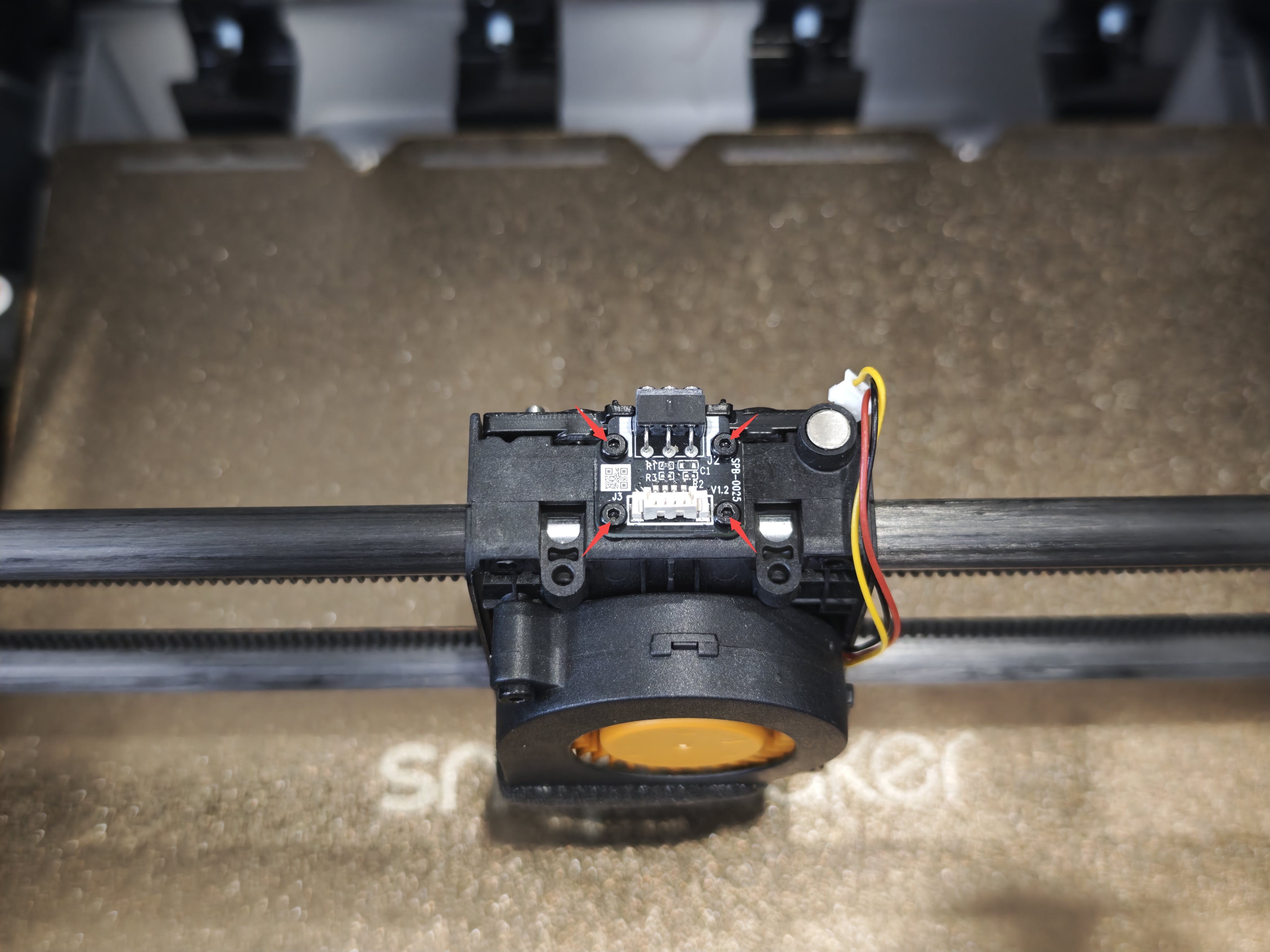
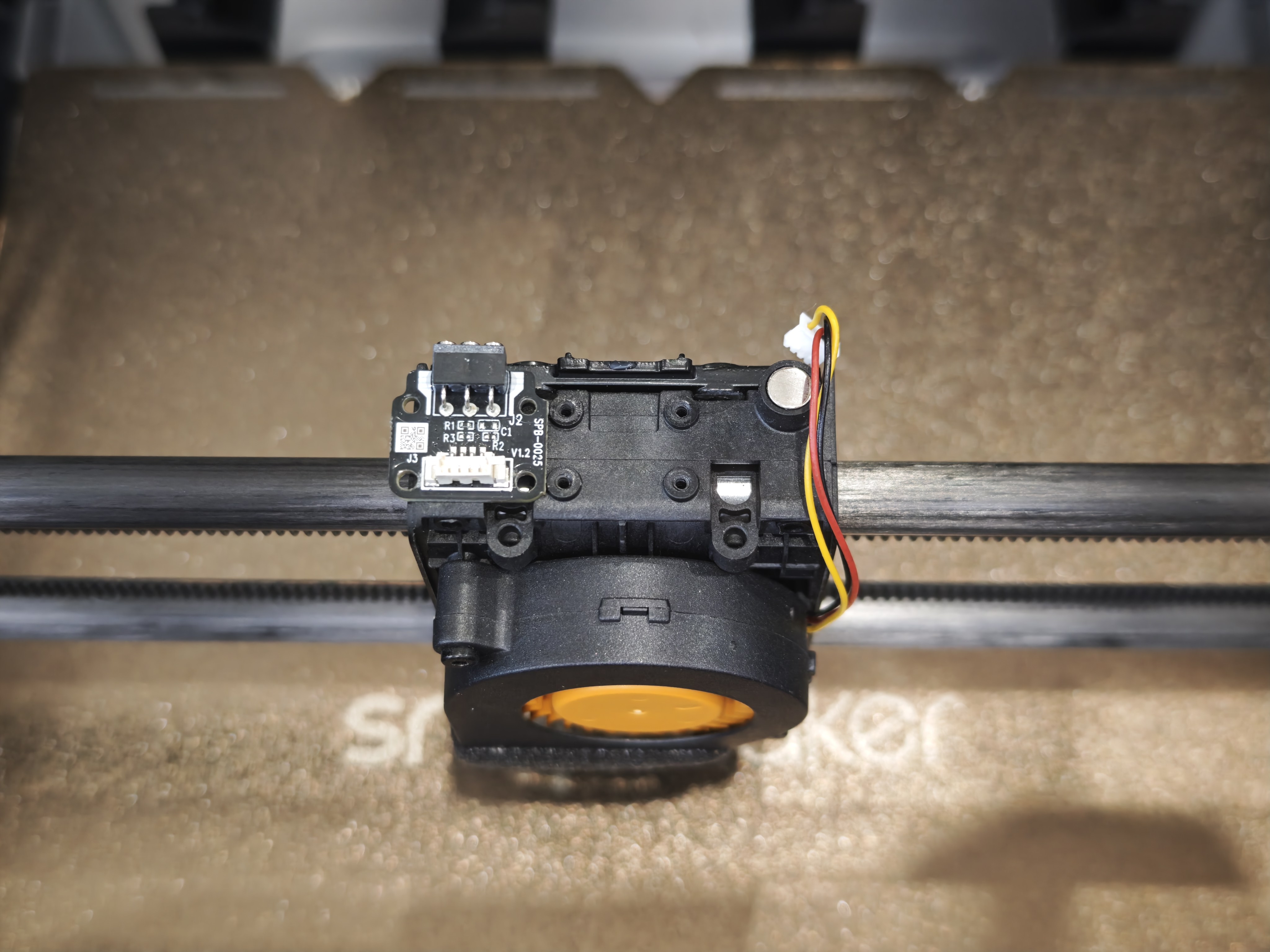
Use H1.5 hex key to remove the 4 screws, replace the adapter board, and then tighten the 4 screws.
-
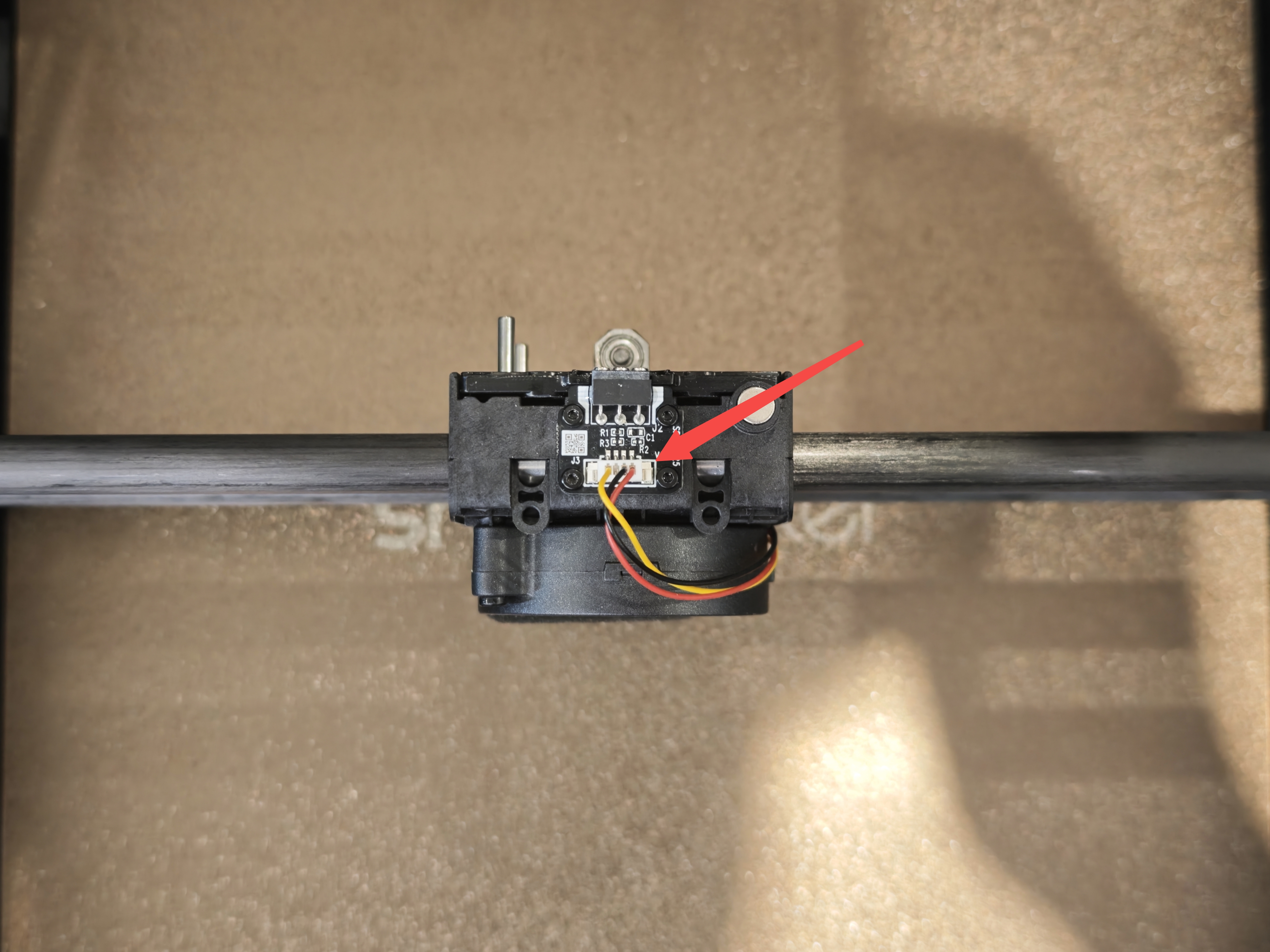
Restore the part cooling fan cable.
-
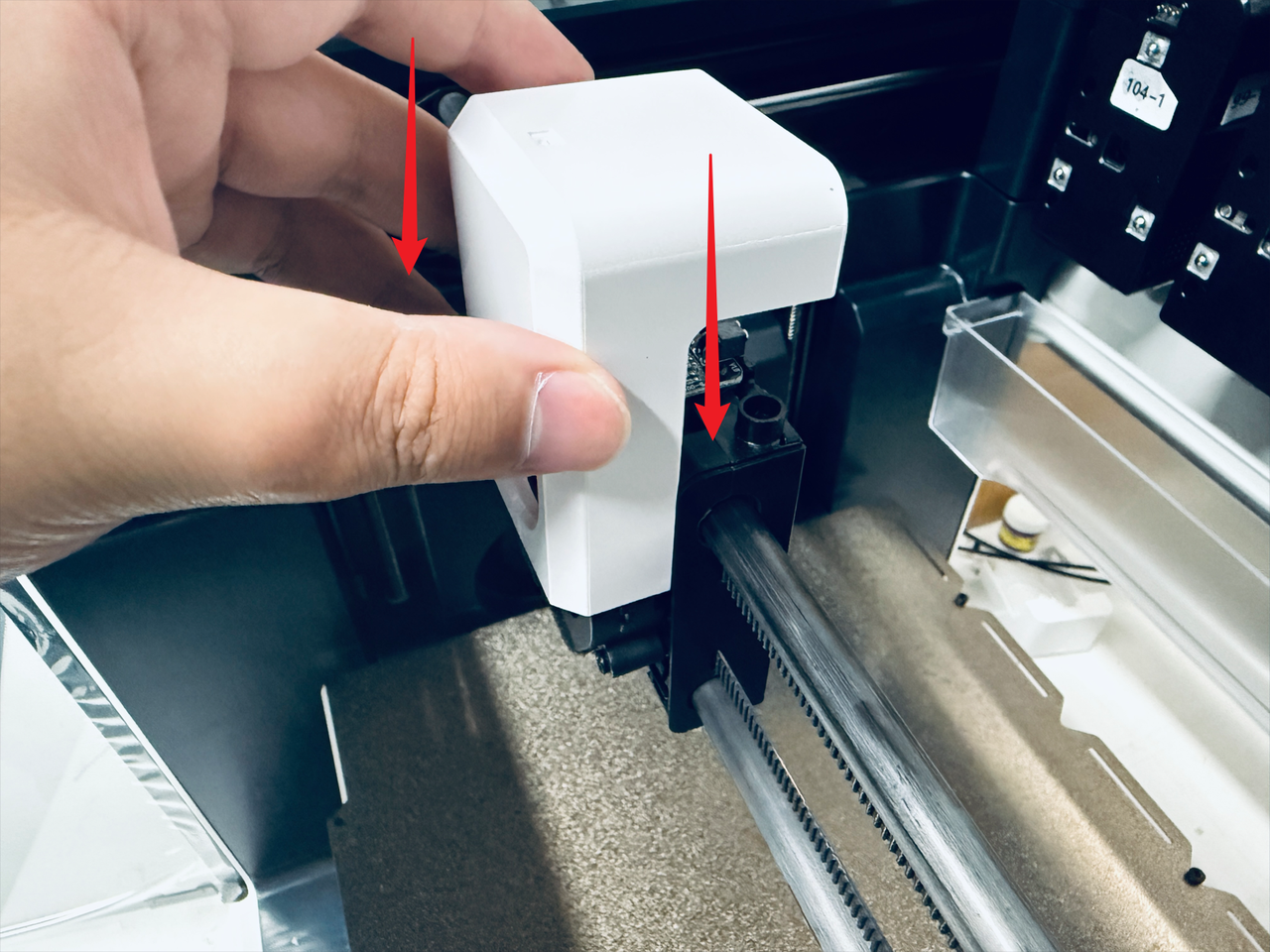
Install the part cooling fan cover.
-
Use H2.0 hex key to tighten the 2 screws.
-
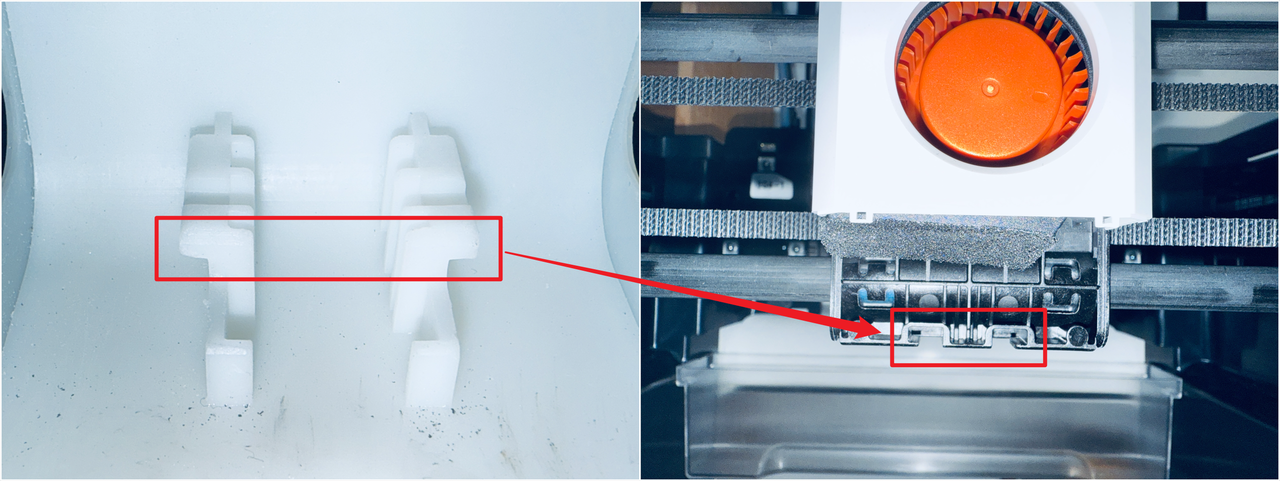
Align the new part cooling air duct with the guide rails at the bottom of the toolhead swapper, then install the air duct.
¶ Reach out to Snapmaker Support
After following the troubleshooting steps, if you find it difficult to resolve your issue, kindly submit a support ticket through https://snapmaker.formcrafts.com/support-ticket and share your troubleshooting results with some pictures/videos.
Our dedicated support team will be more than willing to assist you in resolving the issue.