¶ Issue Description
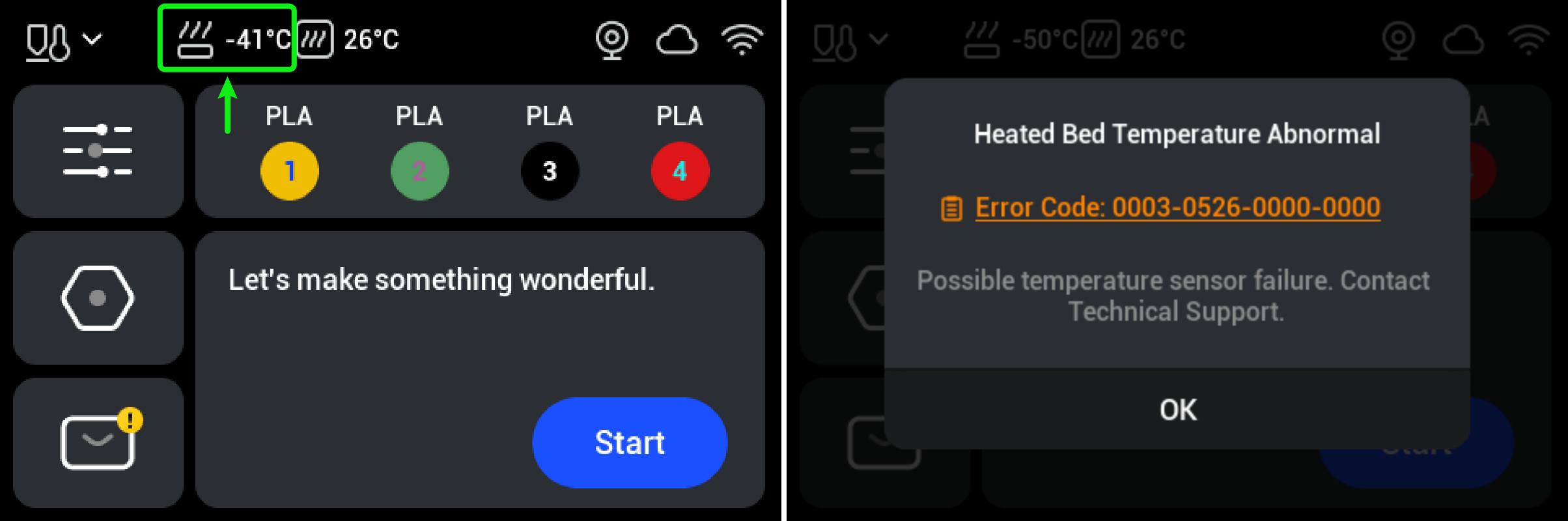
The heated bed temperature is outside the normal range (-10°C ~ 110°C). Error code 0003-0526-0000-0000 appears on the touchscreen, indicating an abnormal heated bed temperature.
¶ Quick Overview
- Difficulty: ⭐⭐⭐☆☆
- Estimated Time: 20–40 minutes
¶ Important Notes
-
When the machine is powered on, do not touch the main control board, power supply, or any other exposed live components. Unless otherwise specified, do not connect or disconnect any cables.
-
If the machine is still under warranty, do not perform any disassembly beyond the steps described in this guide to avoid causing further damage.
¶ Preparation
¶ Quick Diagnosis
Special Case: Both the heated bed and chamber temperatures are displayed below -10°C.
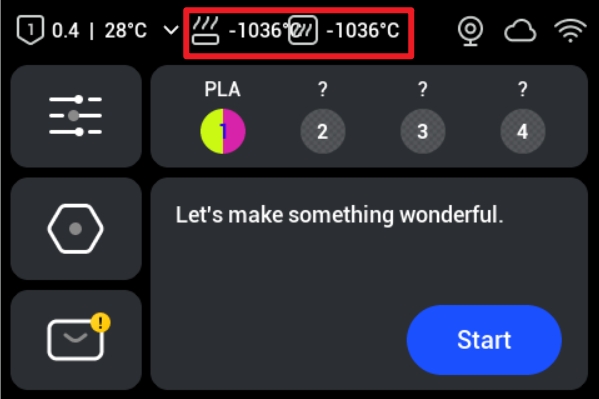
(1) Turn off the printer and remove the feeders on both sides. Check whether the temperature readings return to normal.
(2) Using the left feeder as an example: First, press down at the position shown in the image (the pressing position for the right feeder is on the bottom). Slide the feeder toward the front of the printer, then remove it from the mounting hole.
Refer to Machine Unboxing & Assembly at 6:23 for instructions on removing the feeder.
▶ If the temperature readings return to normal after both feeders are removed, determine whether the left or right feeder is causing the temperature anomaly.
▶ If the temperature readings become abnormal when only the left or right feeder is connected, the corresponding feeder is causing the temperature anomaly and needs to be replaced.
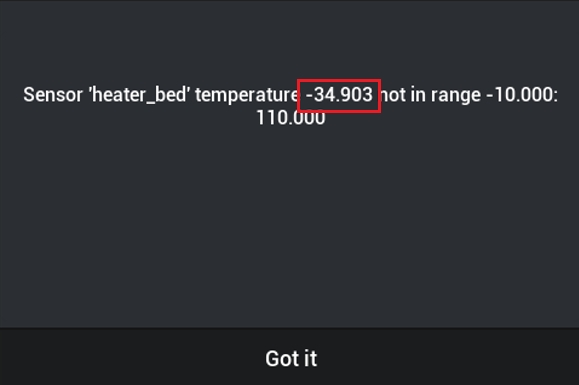
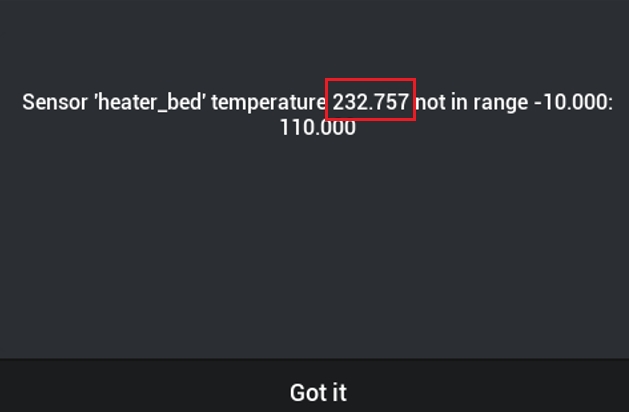
Click the error code to check the instantaneous temperature that triggered the error.
Based on the instantaneous temperature, determine which of the following scenarios applies to your situation:
- Instantaneous temperature below -10°C → Refer to Step 1.
- Instantaneous temperature above 110°C → Refer to Step 2.
¶ Procedure
¶ Step 1: Instantaneous Temperature Below -10°C
(1) Turn off the printer and disconnect the power supply.
(2) Refer to the U1 Video Guide: How to Remove the Side Panels and remove the right panel.
(3) Use a H2.0 hex key to unscrew the 4 securing screws of the power cover. Then remove the power cover.
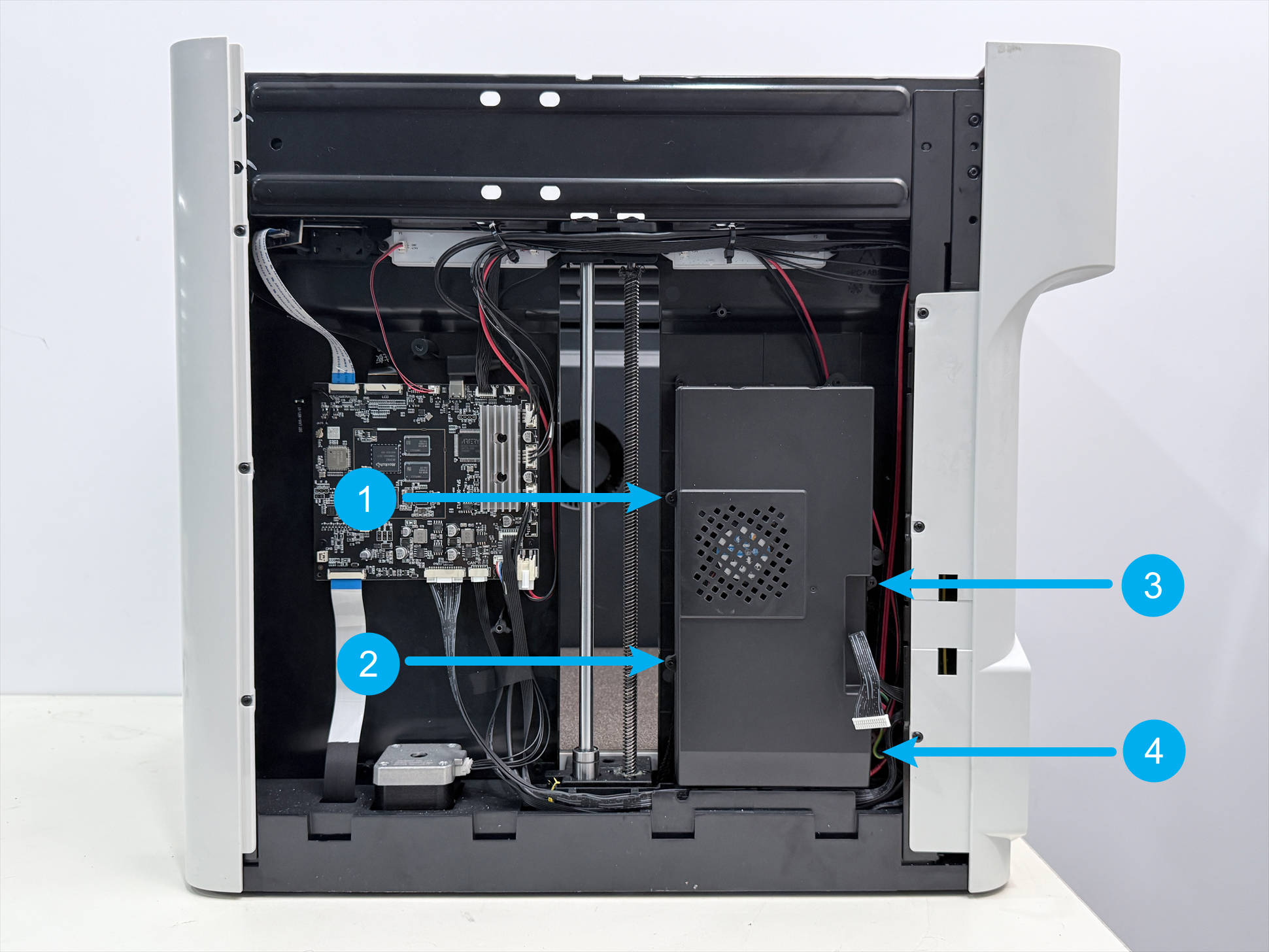
(4) Disconnect the power supply cooling fan wire.
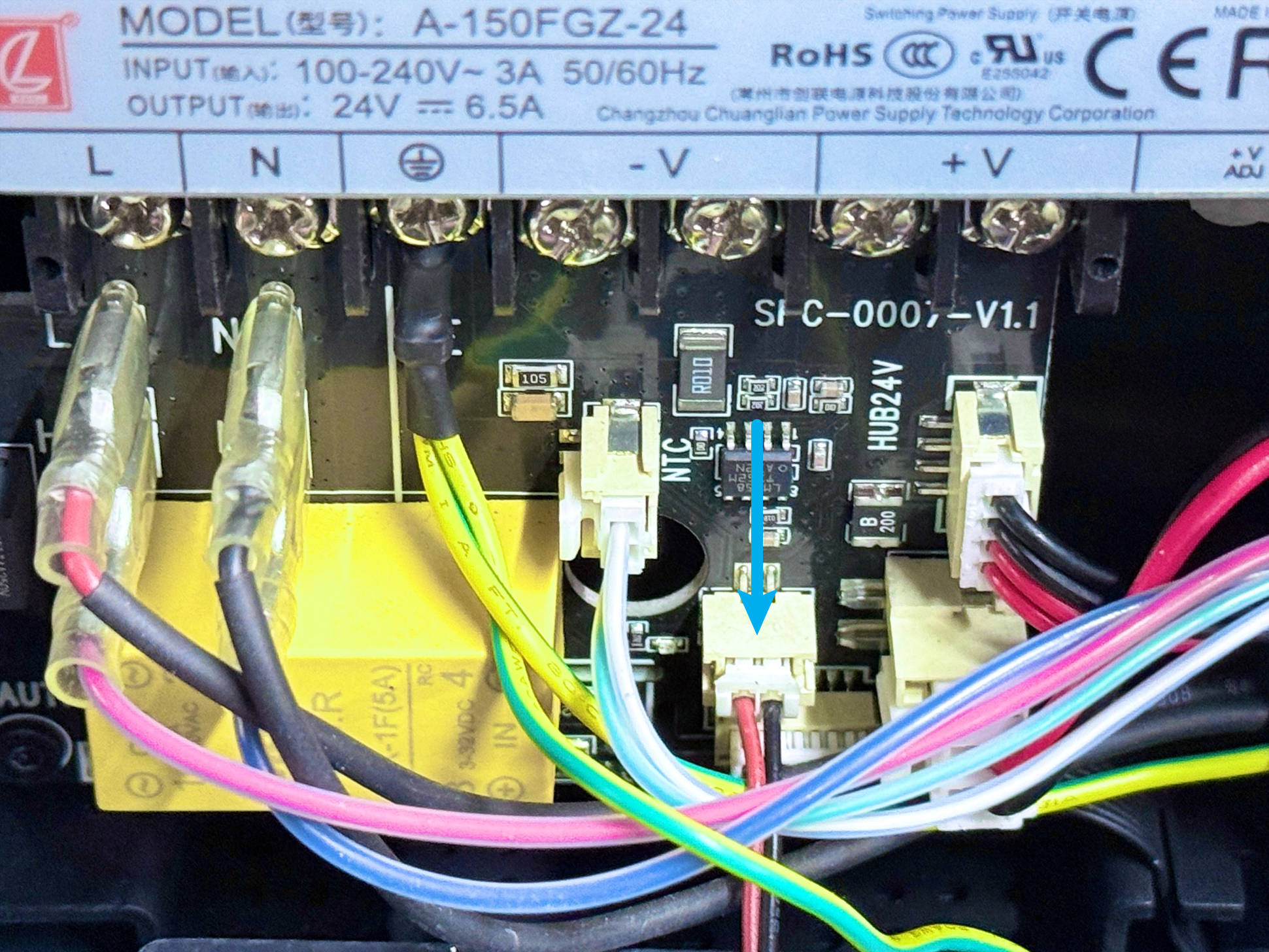
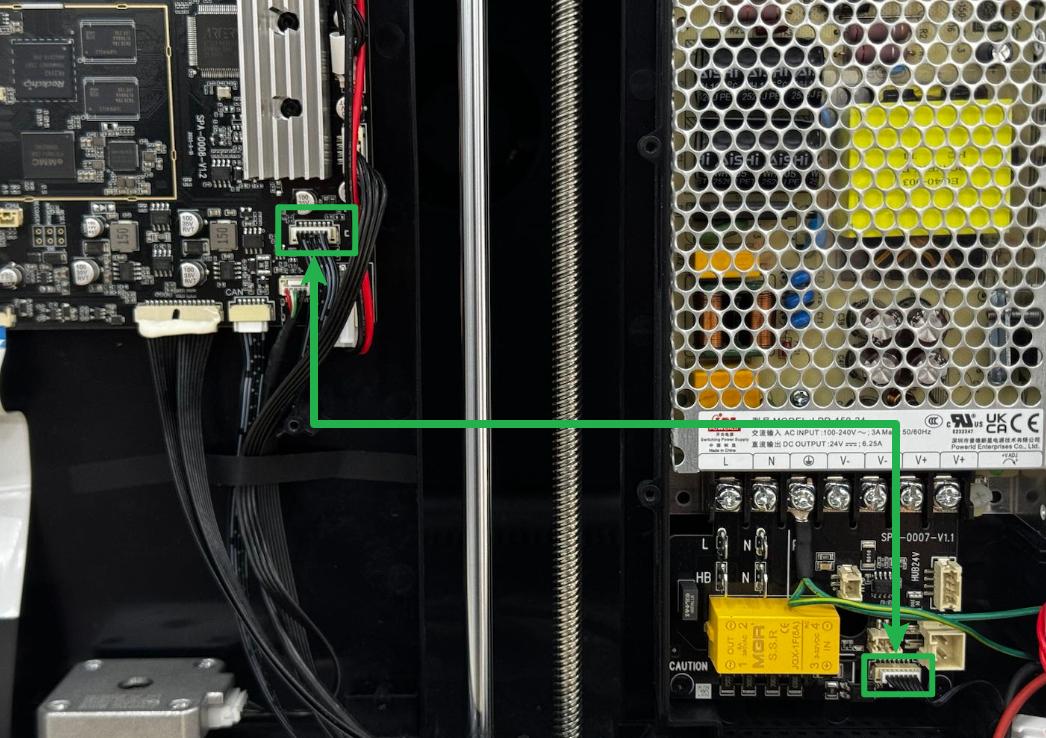
(5) Locate both ends of the heated bed control wire, unplug them, and then plug them back in securely, ensuring that the terminals are fully inserted.
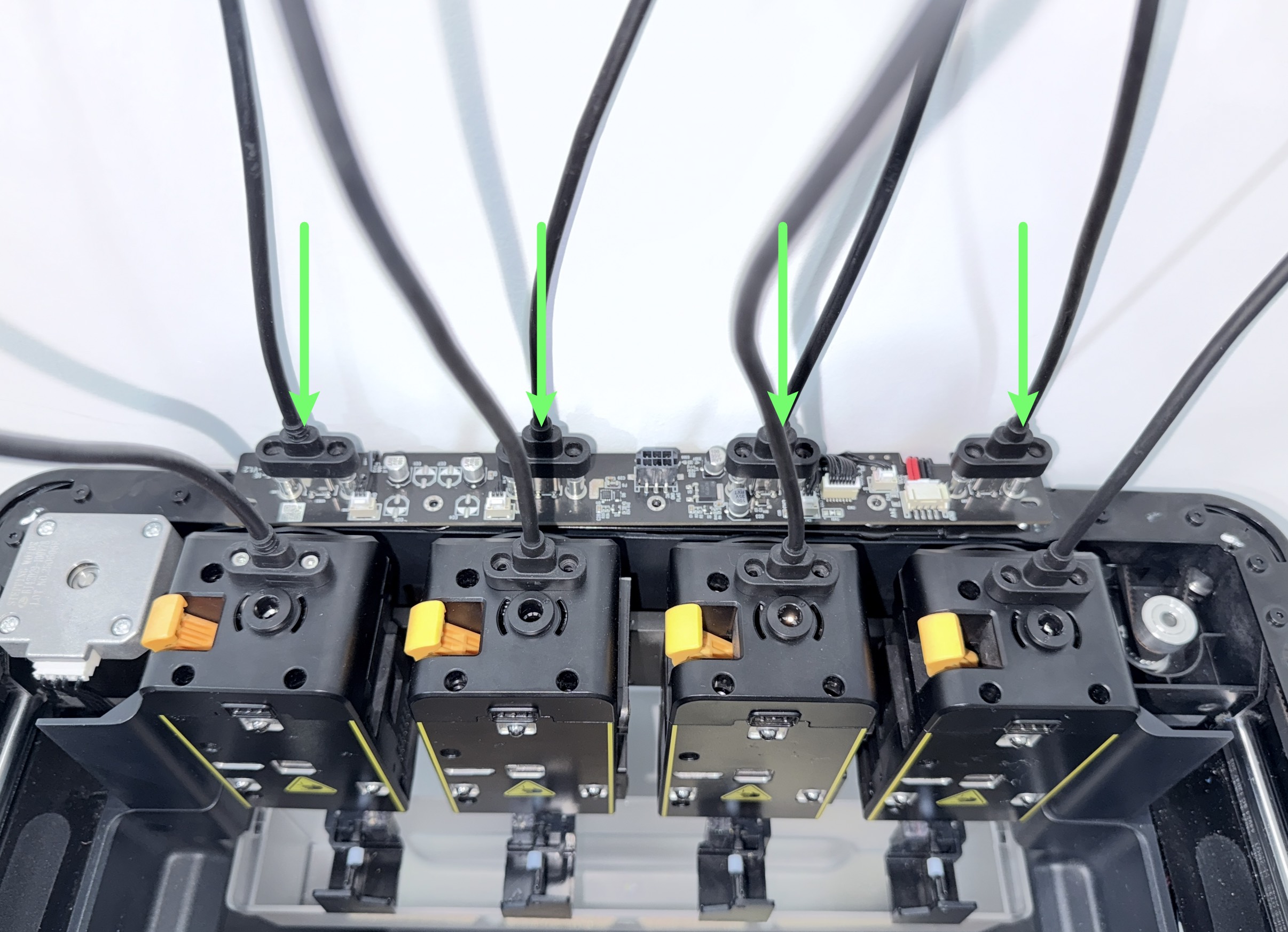
(6) Leave the machine enclosure removed. Reconnect the toolhead USB cable to the Hub Adapter Board and tighten the screw.
(7) Reconnect the power cable and turn on the printer. Check whether the heated bed temperature returns to the normal range.
▶ If the temperature returns to the normal range, the issue is resolved. Reinstall the Right Side Panel by following the video tutorial.
▶ If the temperature out-of-range error persists, continue troubleshooting below.
(7) Inspect the cables and connector bases one by one.
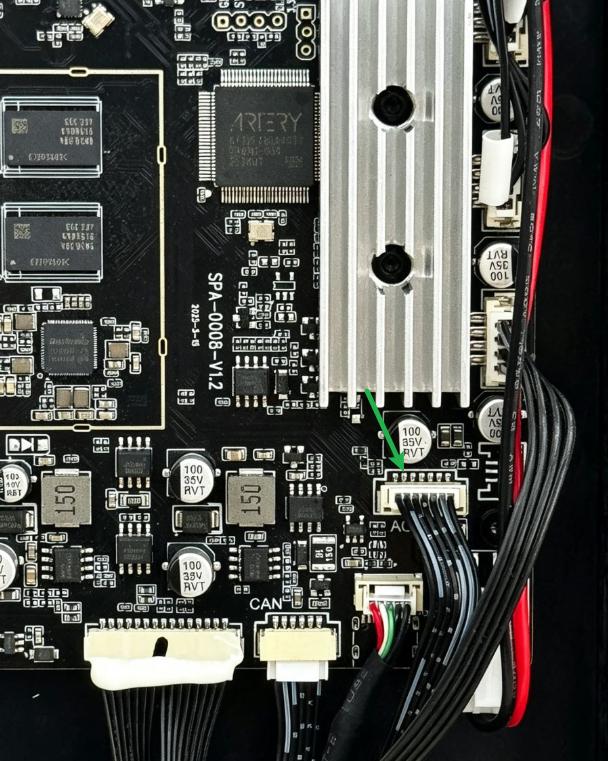
7.1 Check the heated bed control cable pins on the Main Control Board for abnormalities (e.g., loose, burnt, or blackened pins).
The second pin is the heated bed NTC signal interface. Disconnecting this interface causes the heated bed temperature to display a negative value. Therefore, if the heated bed temperature is below -10°C, check this pin for abnormalities.
7.2 Check the two connector bases on the AC Board for abnormalities (e.g., loose bases or disconnected cables).
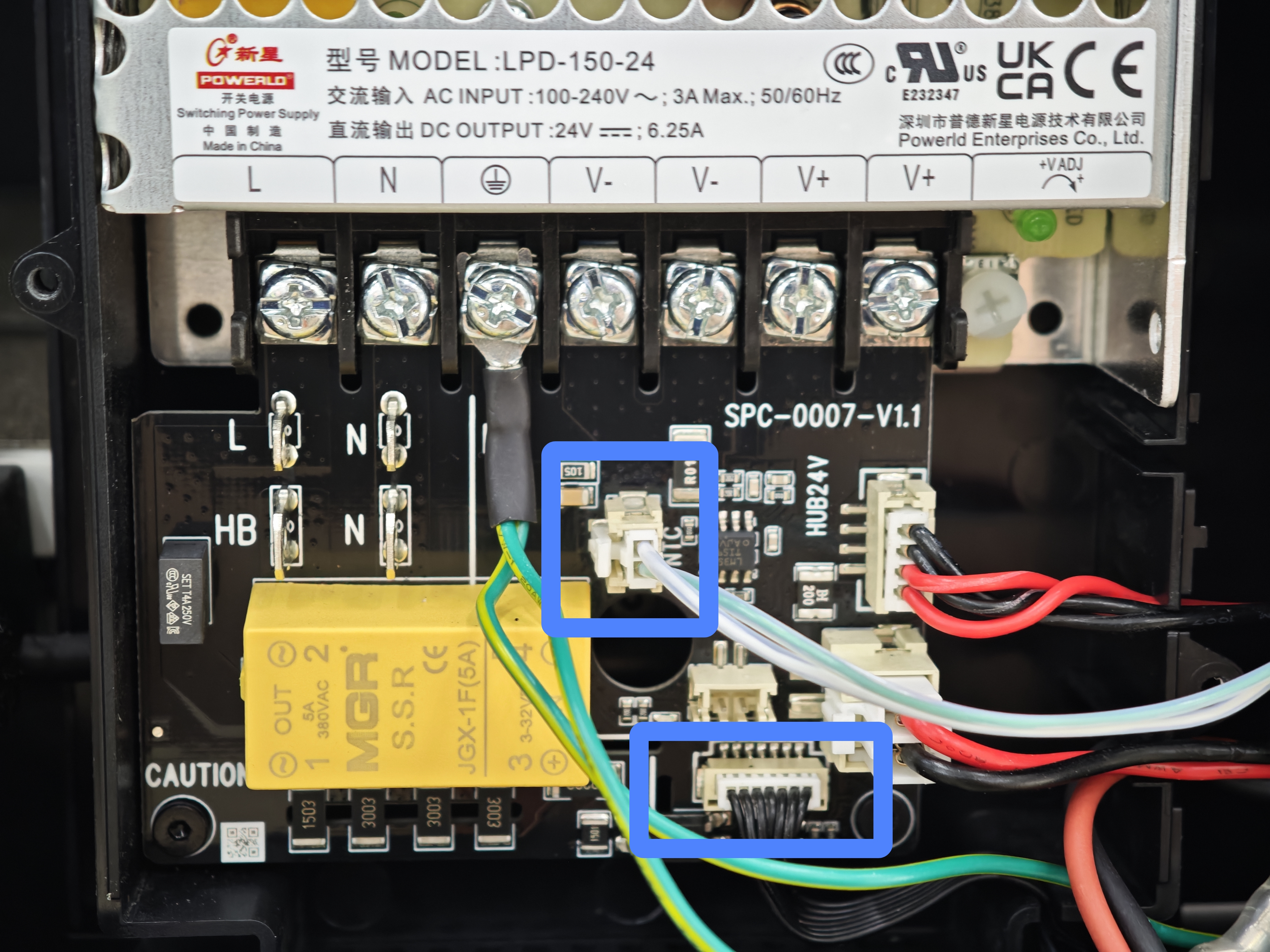
7.3 Gently move the heated bed NTC terminal to check whether the wiring harness is securely connected.
7.4 Raise the heated bed to its highest position and check whether the heated bed wiring harness is visibly twisted or damaged.
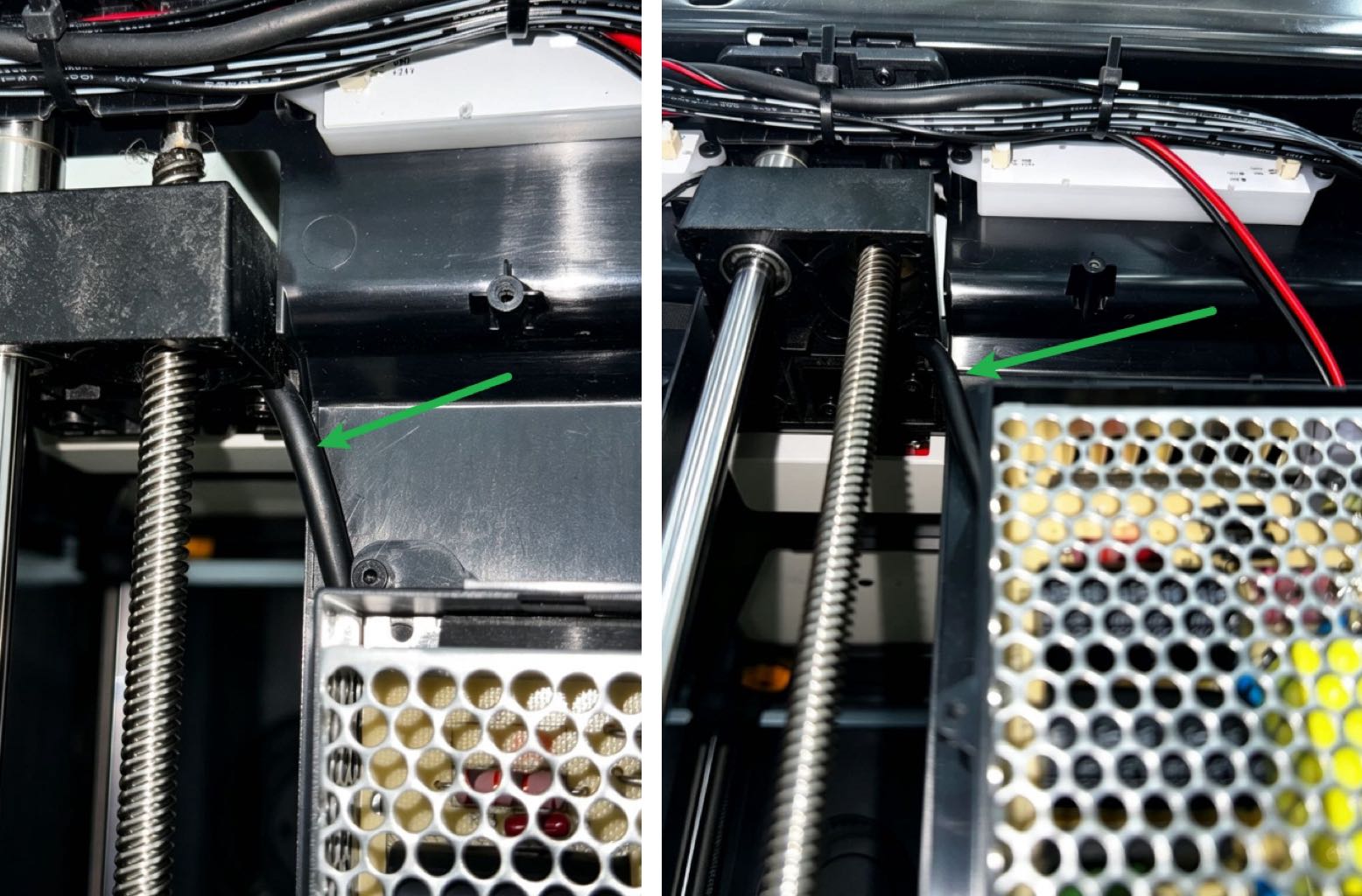
▶ If restarting the printer and reconnecting the connectors resolves the issue, the fault was likely caused by a poor connection. Troubleshooting is complete.
▶ If a circuit board connector is abnormal, contact technical support to arrange for replacement of the corresponding circuit board.
▶ If the Main Control Board connector appears normal and the issue persists after restarting the printer and reconnecting the connectors, continue troubleshooting below.
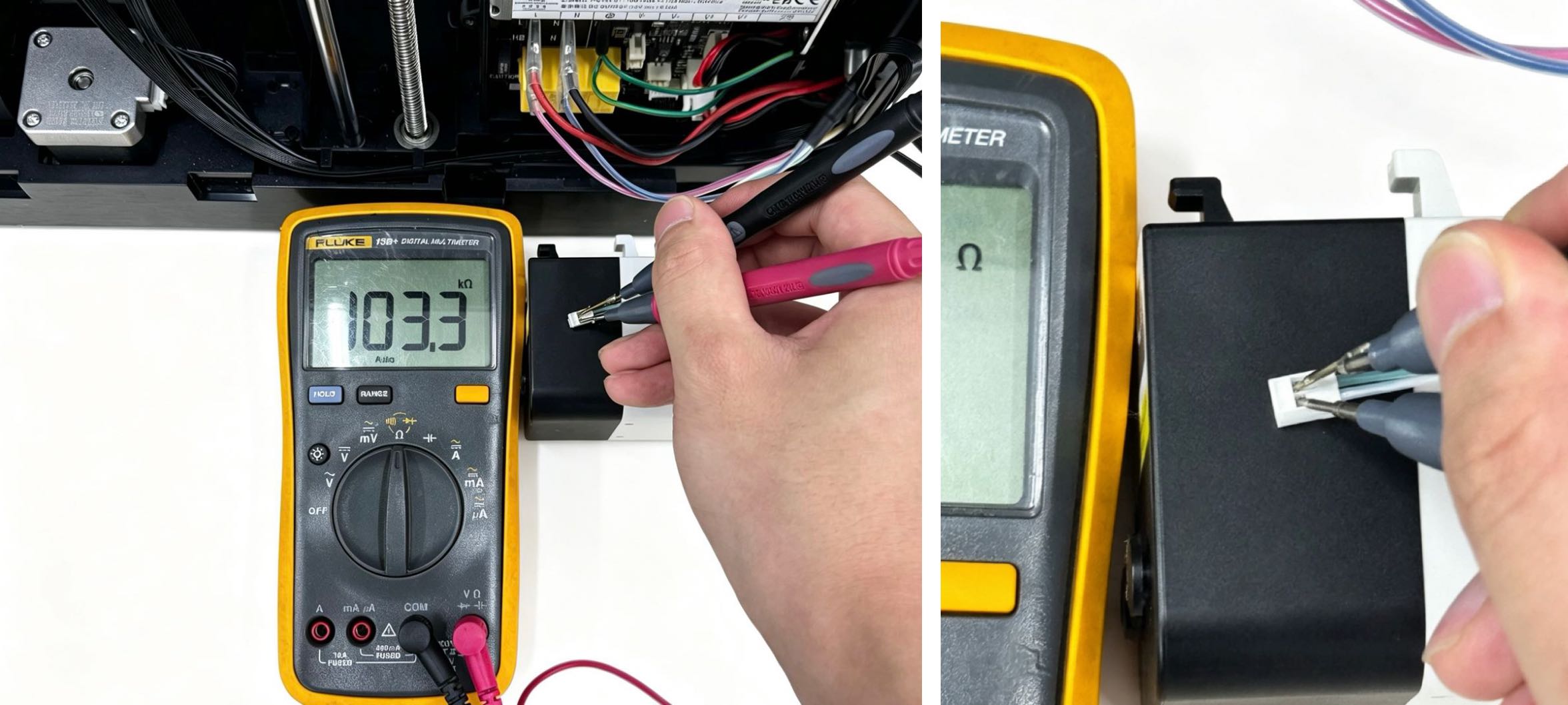
(8) If no obvious abnormalities are found at the NTC connector, use a multimeter to measure the NTC resistance.
Set the multimeter to resistance mode (Ω) with a range of 200 kΩ. At a reference temperature of 25°C, measure the resistance of the heated bed NTC. The expected resistance range is 80–120 kΩ.
If the measured resistance falls outside this range, contact technical support to arrange for replacement of the Heated Bed Assembly.
¶ Step 2: Instantaneous Temperature Above 110°C
(1) Turn off the printer and disconnect the power supply.
(2) Refer to the U1 Video Guide: How to Remove the Side Panels and remove the right panel.
(3) Use a H2.0 hex key to unscrew the 4 securing screws of the power cover. Then remove the power cover.
(4) Disconnect the heated bed control cable from the Main Control Board. Then reconnect the power cable and turn on the printer.
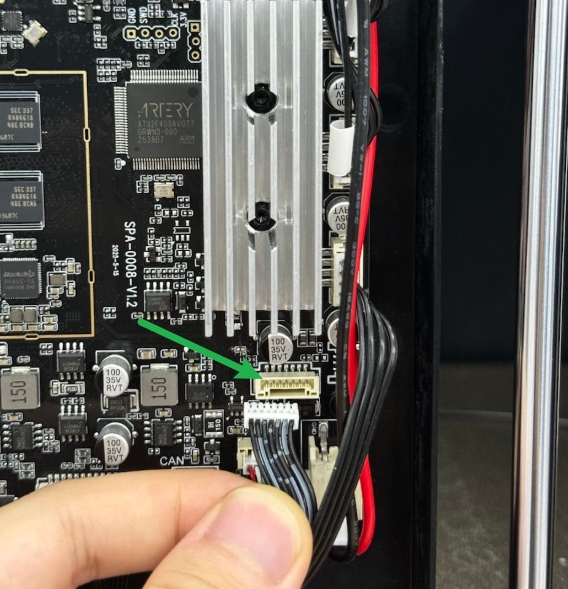
▶ If the heated bed temperature drops below -10°C after disconnecting the heated bed control cable, refer to NTC Resistance Measurement and contact technical support.
▶ If the heated bed temperature remains above 110°C after disconnecting the heated bed control cable, continue troubleshooting below.
(5) Use diagonal pliers to cut the corresponding ESD tube, disconnecting the connection between its two solder pads. If any residue remains between the pads after cutting, carefully remove it using the tips of the diagonal pliers or tweezers.
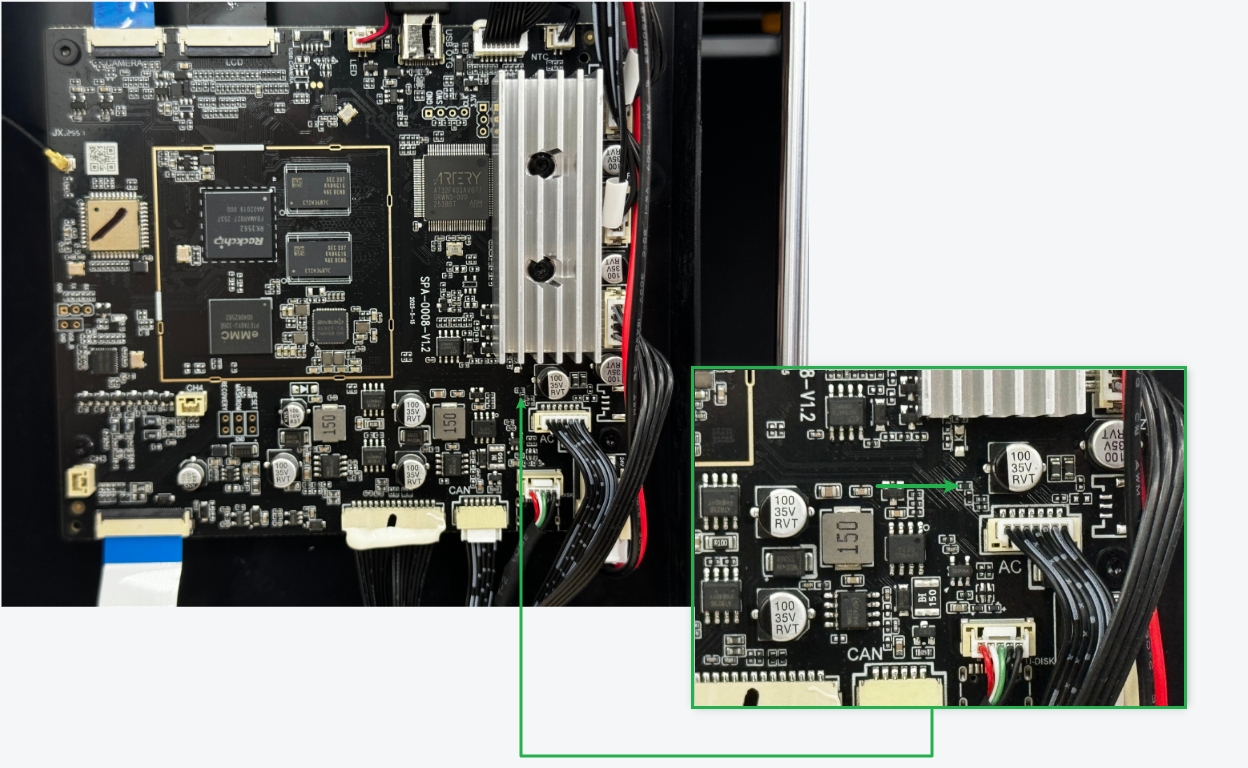
▶ If the issue is resolved after this procedure, the fault may have been caused by an abnormal ESD protection device. Troubleshooting is complete.
▶ If the issue persists,contact technical support to arrange for replacement of the Main Control Board.
¶ Verification
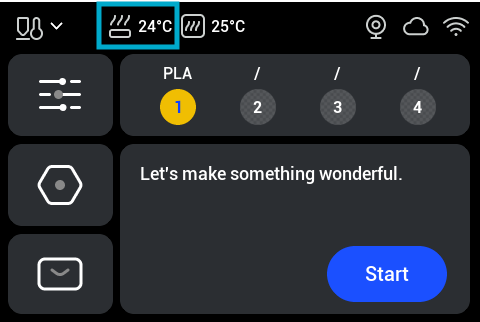
Restart the printer and check the heated bed temperature displayed on the touchscreen.
-
If the temperature returns to the normal range and the heated bed reaches 100°C without triggering an error, the issue is resolved.
-
If the touchscreen displays another heated bed temperature error,contact technical support.
¶ Related Resources
¶ Endnote
If your issue remains unresolved, please contact technical support, our dedicated support team will be more than willing to assist you in resolving the issue.
If you have any suggestions or feedback about this wiki, feel free to leave a comment below. Every piece of feedback helps us improve our documentation.